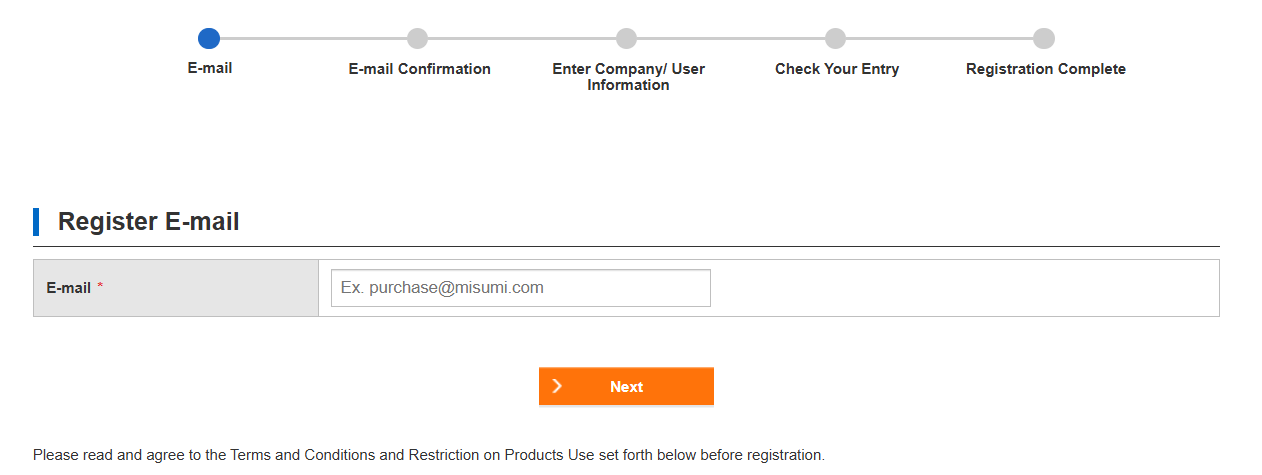
Flow of User Registration
Step 1 - Register Your Account
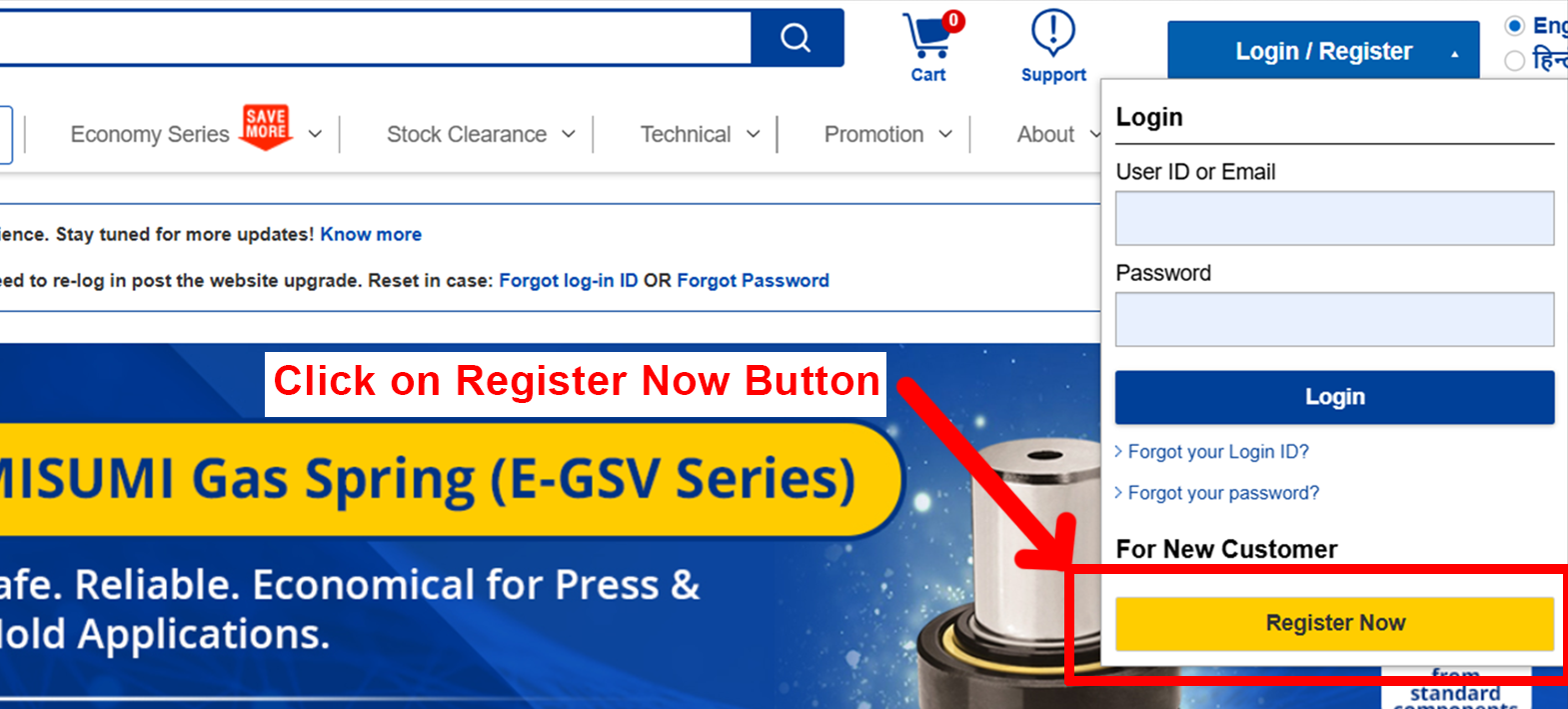
- Click on "Register Now" button for Registration
Step 2 - Register your Mail ID
Step 3 - Verification Email
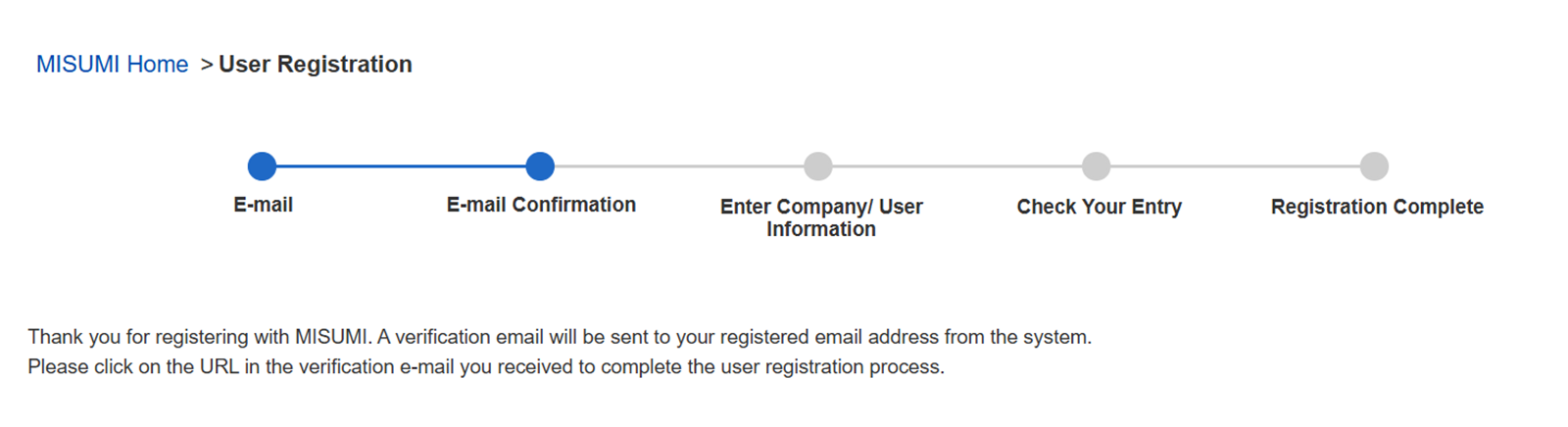
- A verification email will be sent to your registered email address
Step 4 - Approve your account verification
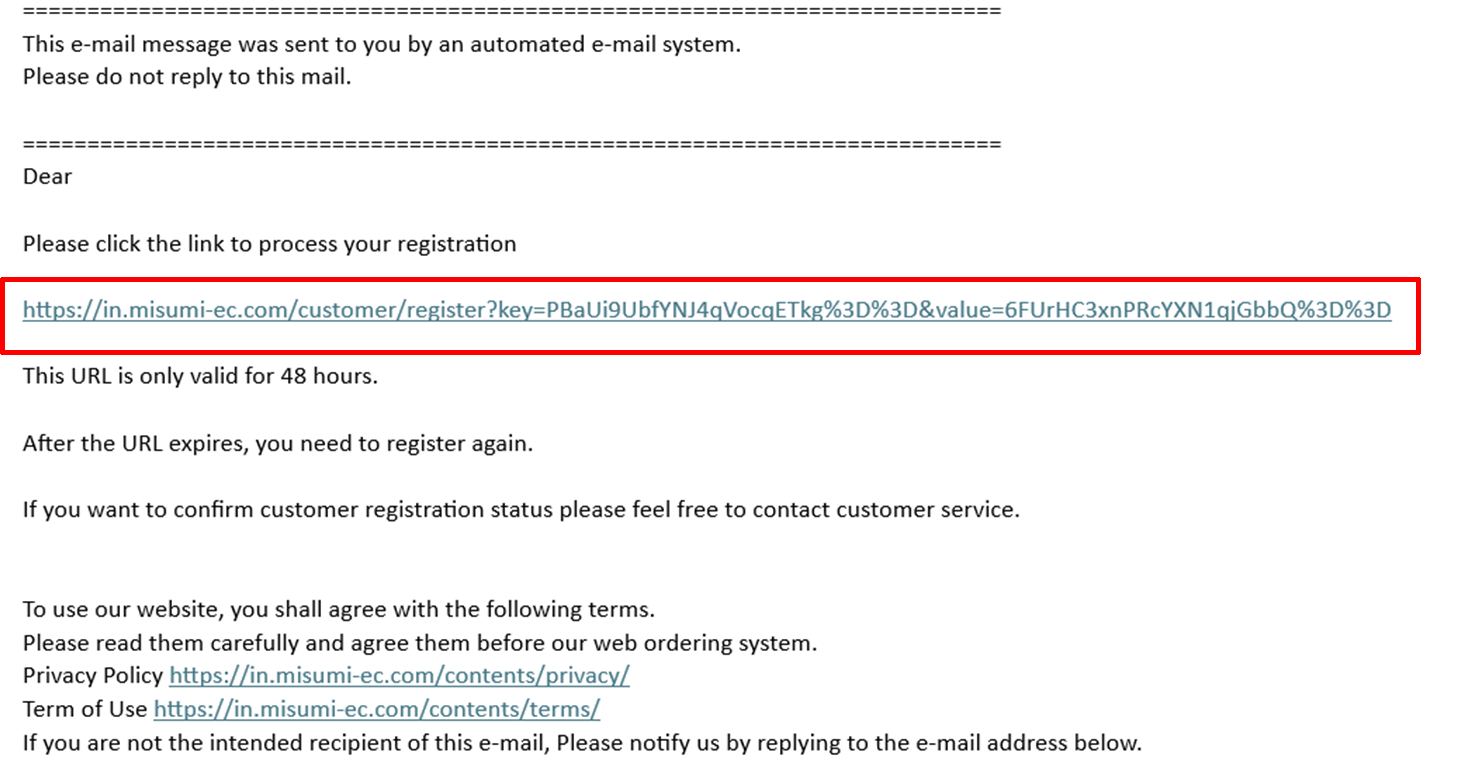
- Click on the link to approve your account verification
Step 5 - Login Information
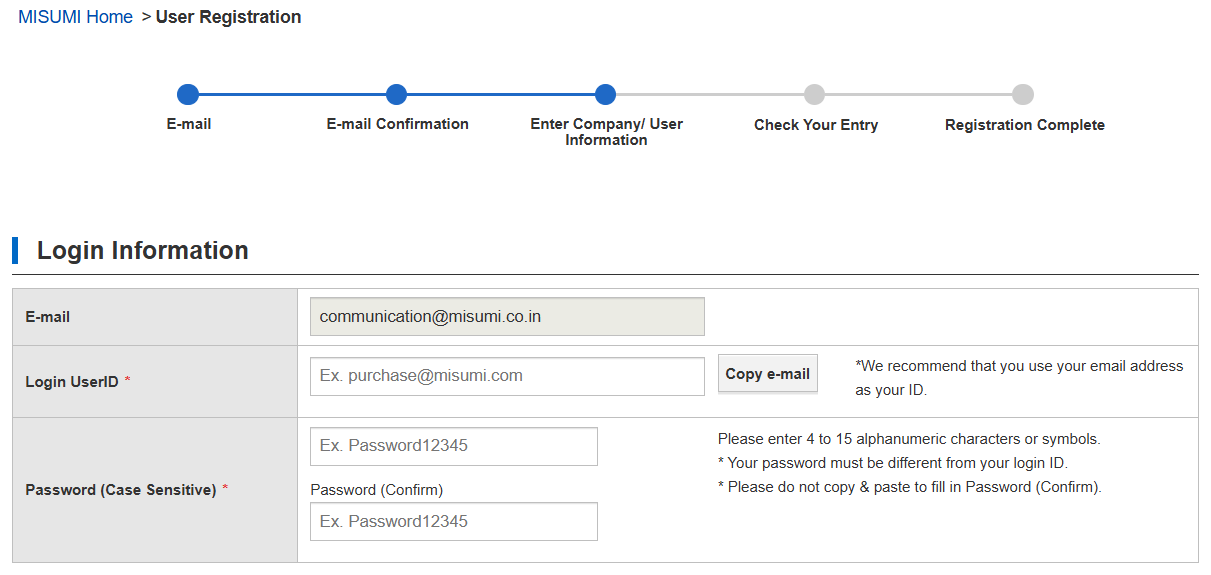
- 1 Enter your Login User ID
- 2 Enter a Strong Password
- 3 Enter Confirm Password
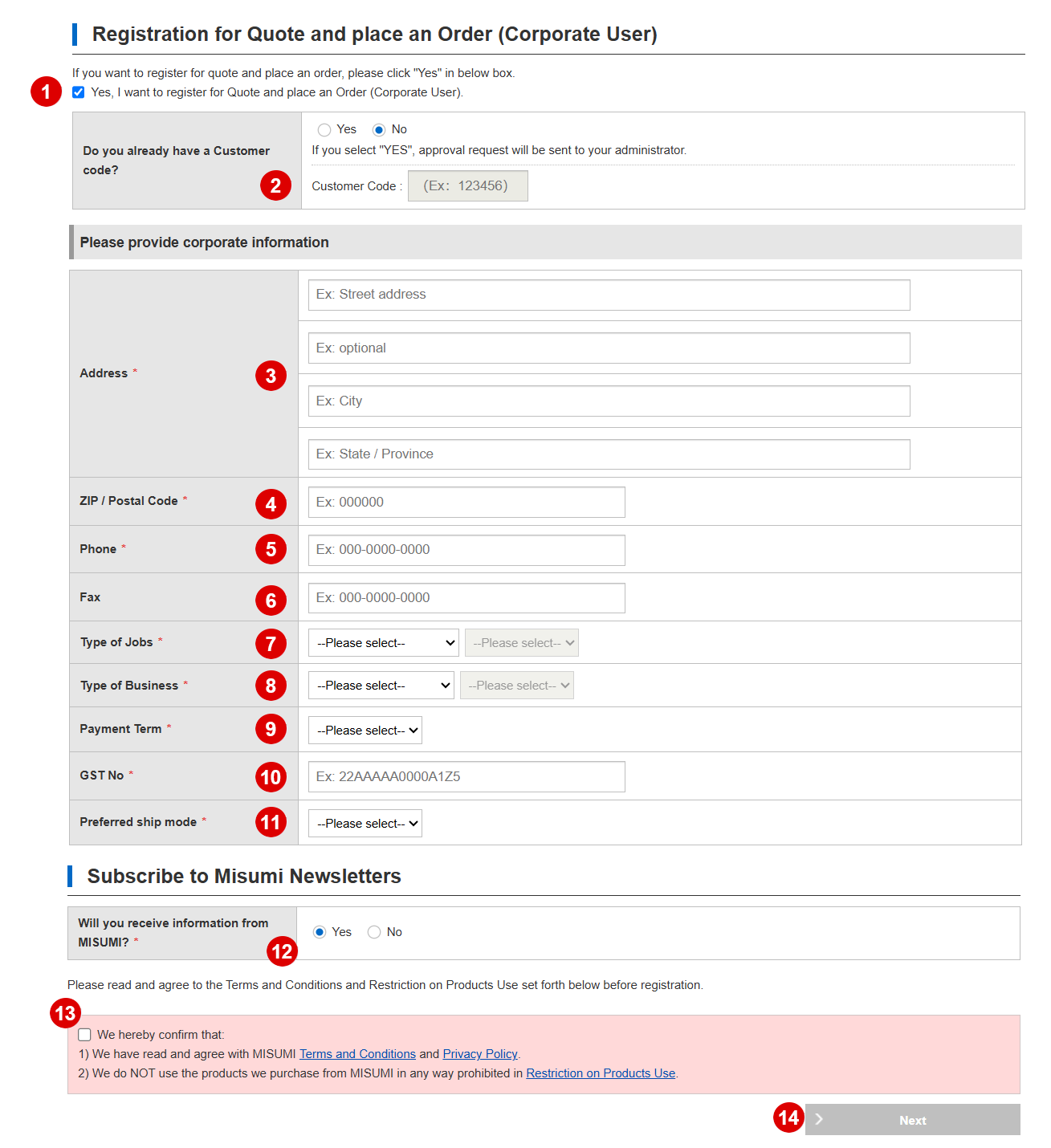
- 1 If you want register for Quote and Place an Order, Please click "YES"
- 2 If you already have a MISUMI Customer then click "YES" otherwis click on "NO"
- 3 Enter Your Address
- 4 Enter your Postal Code
- 5 Enter your phone No.
- 6 If you have FAX no. you can enter here
- 7 Select your Job Type
- 8 Select your Business Type
- 9 Select your Payment Term
- 10 Enter your GST No.
- 11 Select Shipping Mode (also you can change when your ordered)
- 12 Subscribe a newsletter for latest update
- 13 Read and agree to the Terms and Conditions
- 14 If you are agree to the Terms and Conditions then click on "Next" Button
Step 7 - Registration complete
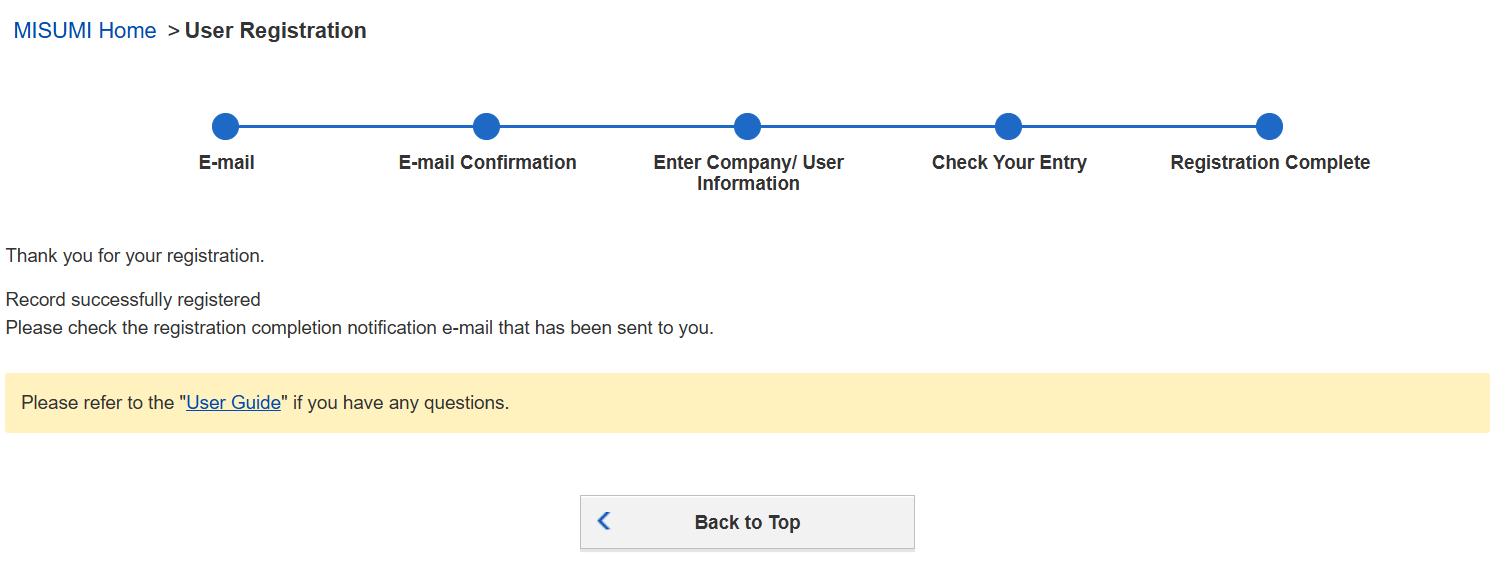
- Registration completion notification sent on e-mail
Step 8 - Successfully Register for the MISUMI

- Your login details for online shop