How to Place an Order
Step 1 - Login Your Account
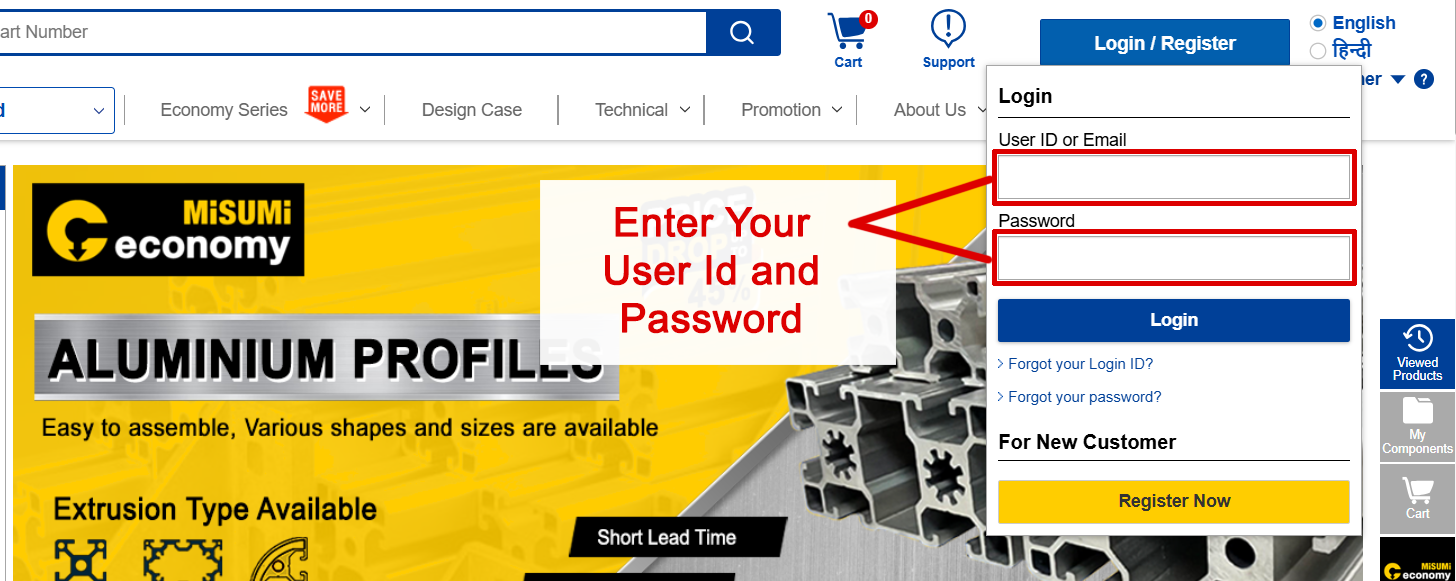
Login and Register for new Customer
- 1 Enter your Username.
- 2 Type your Password.
- 3 Click Login to access Quote and Order.

Step 2 - Click “Quote/Order” to proceed to the Order page

Step 3 - Quotation and Order Entry
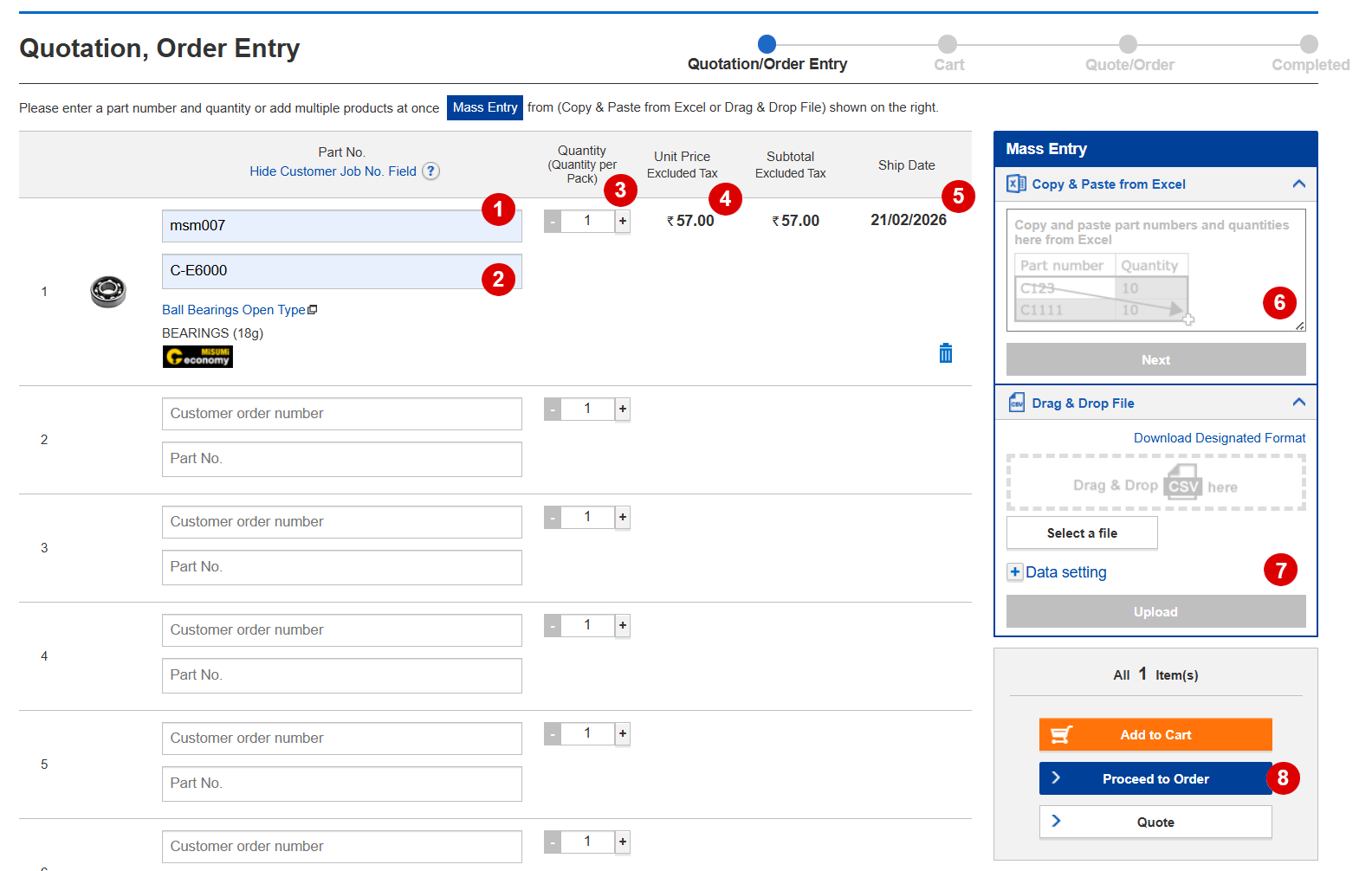
Process to Fill the Order Entry
- 1 Enter the Customer Job Number / Reference Number.
- 2 Enter the Product Part Code.
- 3 Select the required quantity.
- 4 Verify the unit price (GST excluded).
- 5 Check the product shipping date.
- 6 Use the mass entry option to add multiple products at once.
Example format:Part Number Quantity C-E605ZZ 2 C-E6000ZZ 5 C-E6002 3 - 7 Alternatively, drag and drop a CSV file to upload product details. Click to download the CSV format.
- 8 Click “Proceed to Order” to complete the process.
Step 4 - Confirm Order
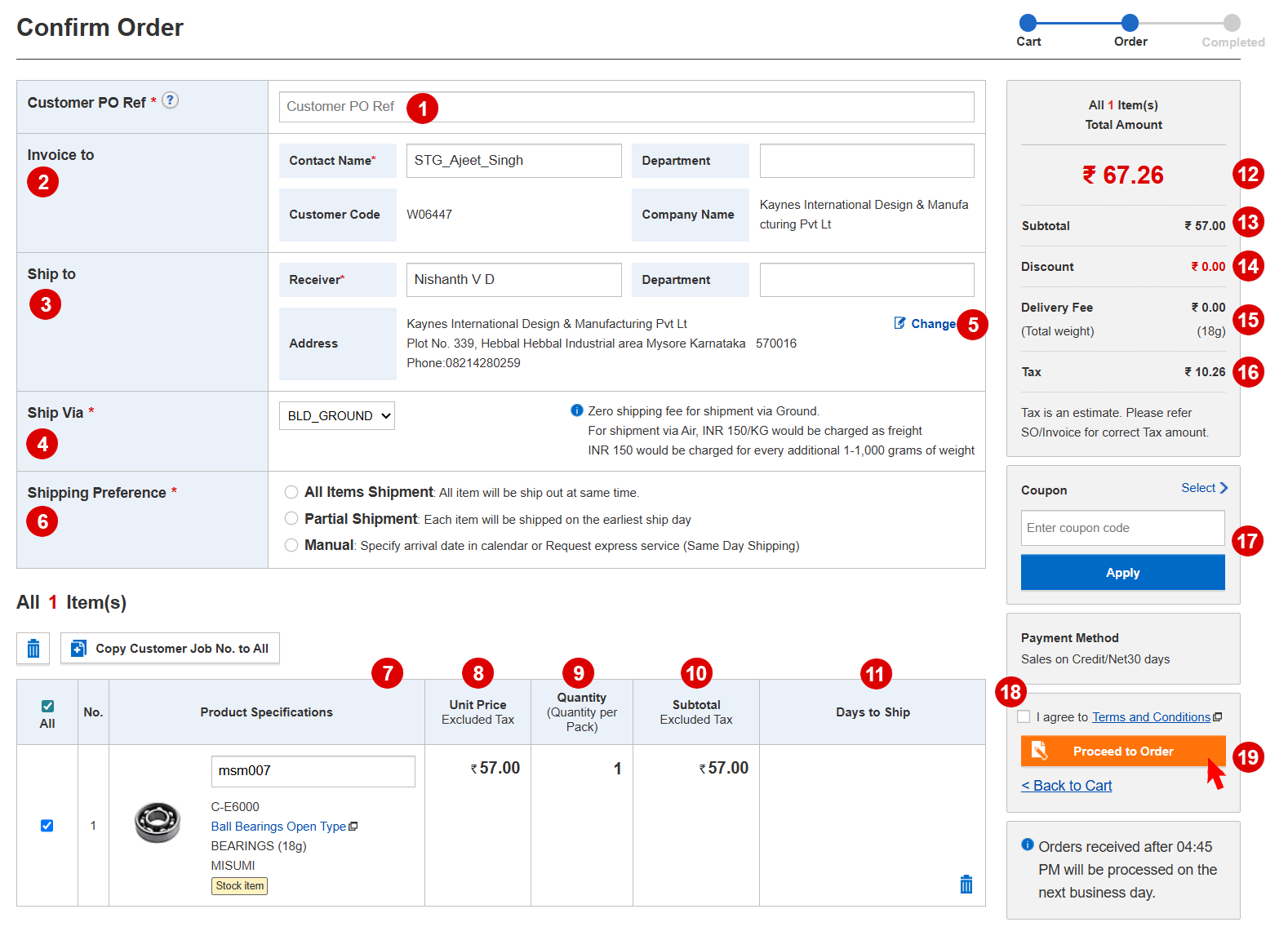
Process to Confirm an Order
- 1 Enter the Customer PO or Reference Number.
- 2 Provide the name of the Contact Person.
- 3 Enter the Receiver’s Name.
- 4 Select the preferred Shipping Method.
- 5 Update or confirm the Delivery Address.
- 6 Update your Shipping Preference.
- 7 Review the Product Specifications carefully.
- 8 Verify the Unit Price.
- 9 Confirm the Order Quantity.
- 10 Check the Subtotal Amount.
- 11 Review the Shipping Dates.
- 12 Confirm the Total Amount.
- 13 Re-check the Subtotal for accuracy.
- 14 Verify any applicable Discounts.
- 15 Confirm the Delivery Charges.
- 16 Review the Tax Details.
- 17 Apply a Coupon Code, if available.
- 18 Read and agree to the Terms and Conditions
- 19 Click to “Proceed to Order” button.
Step 5 - Order Completed
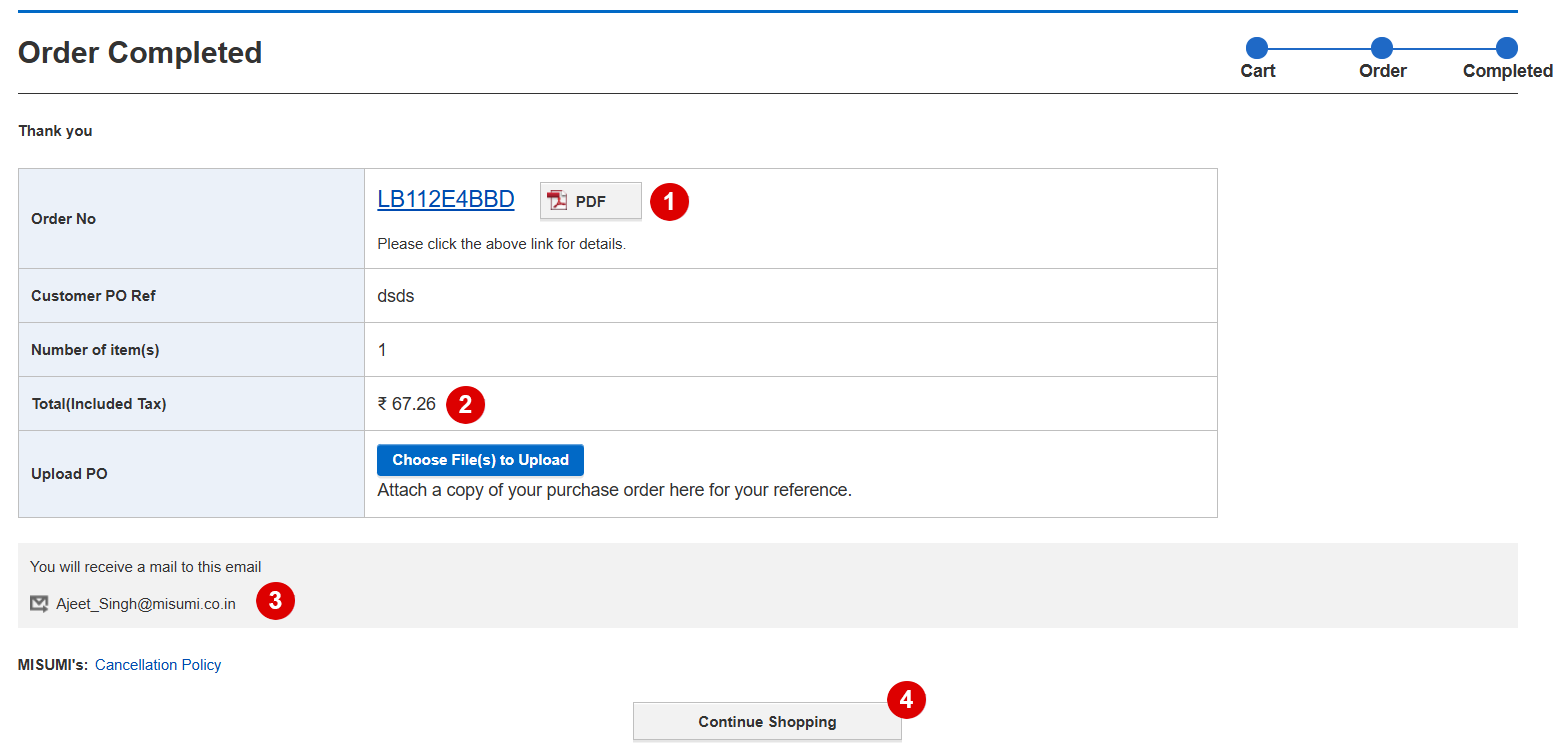
Order Successfully Completed
- 1 Note your Order Number and click on PDF to review the order document.
- 2 Verify the Final Price carefully.
- 3 Confirm your Email ID, as all order-related updates will be sent there.
- 4 Click Continue Shopping to place your next order.